
-
Login to Google Analytics at analytics.google.com.
-
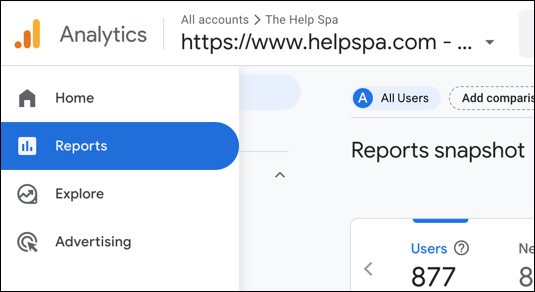
In the left-hand column click Reports.
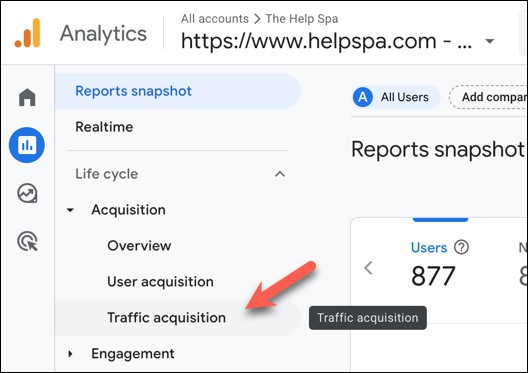
3. Click Acquisition -> Traffic acquisition.
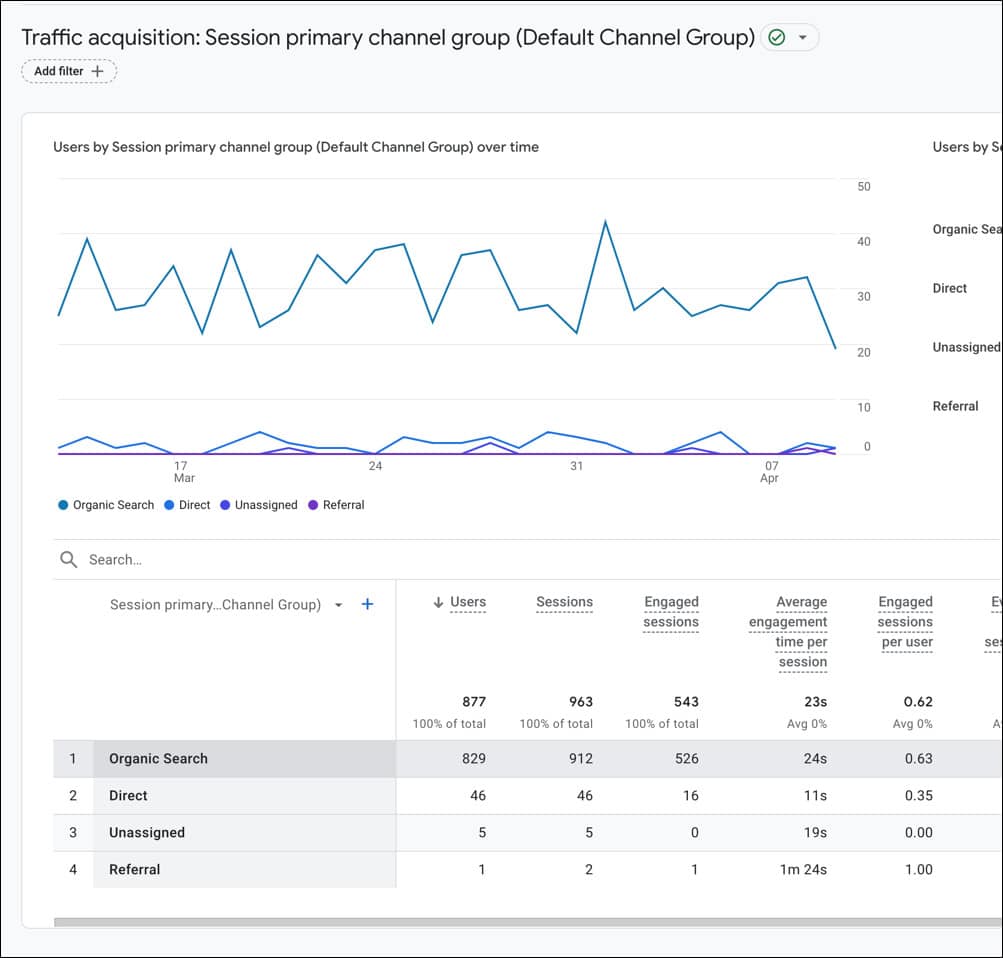
4. View your organic traffic at the bottom in the table.
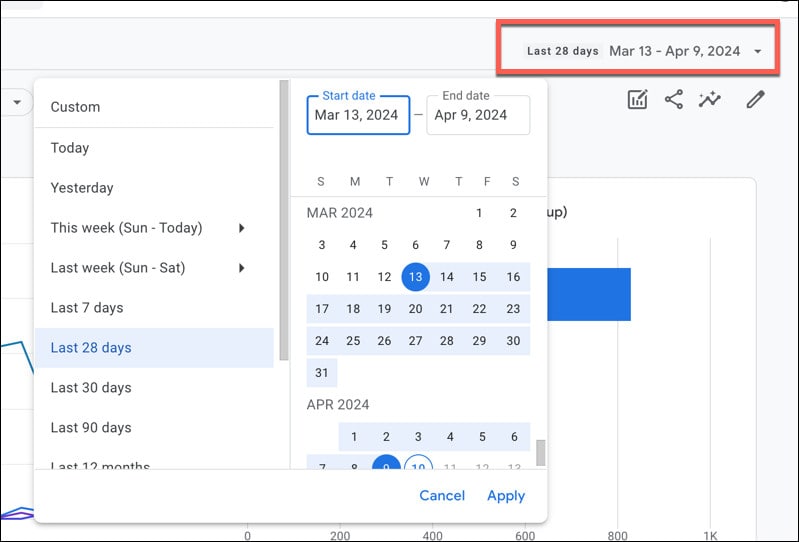
5. Adjust the dates as needed at the top right.

Short Hills Design
April 11, 2024
Login to Google Analytics at analytics.google.com.
In the left-hand column click Reports.
3. Click Acquisition -> Traffic acquisition.
4. View your organic traffic at the bottom in the table.
5. Adjust the dates as needed at the top right.